Server Uptime Monitoring
Monitoring server uptime is essential to ensure your services are available and running smoothly without interruptions.
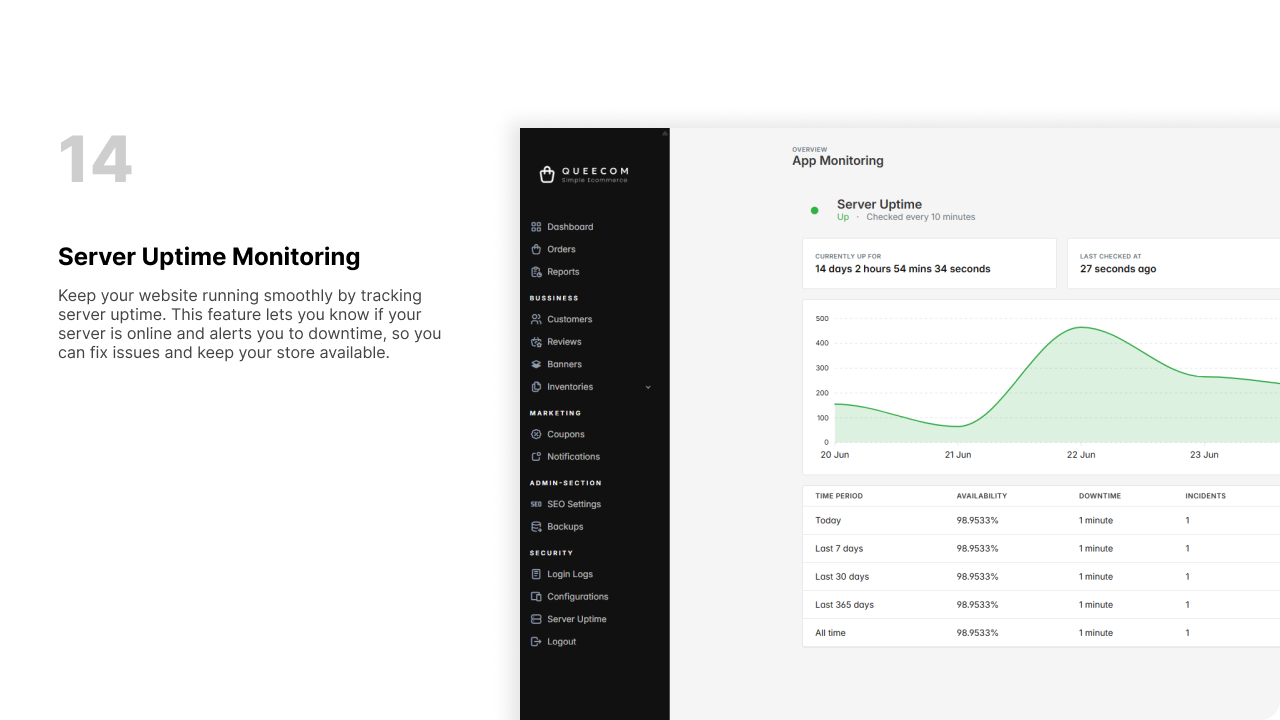
What is Server Uptime?
Server uptime is the amount of time a server has been running and accessible without downtime. High uptime indicates reliable server performance and minimal disruption to your users.
Why Monitor Server Uptime?
- Improve Reliability: Detect outages promptly to reduce downtime duration.
- Performance Tracking: Analyze patterns to anticipate and prevent failures.
- Service Level Agreements (SLA): Ensure compliance with uptime commitments.
- User Satisfaction: Maintain consistent access for visitors and customers.
How to Monitor Server Uptime
-
Set Up Monitoring Tools:
Use monitoring software or services (like Nagios, Pingdom, UptimeRobot) to track server health. -
Configure Checks:
Schedule regular ping or HTTP checks to verify server responsiveness. -
Receive Alerts:
Get notifications (email, SMS, or webhook) instantly if downtime or issues occur. -
Analyze Reports:
Review uptime statistics, downtime incidents, and performance metrics in reports.
Best Practices for Uptime Monitoring
- Monitor multiple indicators: ping, service ports, and application response.
- Set realistic thresholds and response times for alerts.
- Keep historical data for trend analysis and diagnostics.
- Combine uptime monitoring with server resource monitoring (CPU, memory, disk).
Summary Table
| Aspect | Description |
|---|---|
| Uptime | Total time server is operational |
| Downtime | Periods when server is unavailable |
| Monitoring Tools | Software/services used for uptime tracking |
| Alerts | Notifications triggered on problems |
| Reports | Data summaries measuring uptime and performance |
Quick Tips
- Regularly test your monitoring setup for accuracy.
- Respond swiftly to downtime alerts to minimize impact.
- Use a combination of external and internal monitoring tools.
⚡ Effective uptime monitoring safeguards your server’s reliability and your users’ trust.